MV3 · WASM-signed · CHIP-0002 + WalletConnect2

A Chia wallet that lives in your browser.

Send and receive XCH, hold tokens and NFTs, and trade with anyone using offers. When you visit a Chia site — a marketplace, a swap, a game — Loroco asks you before signing anything.

Loroco icon — the loroco flower
What it is

One provider, every Chia dApp surface

Loroco exposes a Goby-compatible provider and the full Sage WalletConnect2 method surface. The signing key never leaves a WASM engine — the JS shell is the only thing dApps talk to.

🔑

Keys stay in WASM

The master secret key lives in the sage-wasm engine's memory. JS only ever sees public material. Nothing is persisted to chrome.storage in plaintext.

Per-call approval

Every mutating or signing call pops an approval dialog. There is no "remember this site" for spending — the user re-consents to each transaction.

🔌

Drop-in for dApps

window.loroco speaks chia_*, chip0002_* and snake_case. An opt-in window.chia mirror covers legacy Goby detection.

🪙

XCH · CATs · NFTs · DIDs

Full balance, token, NFT and offer surfaces — reads served straight from a local coin-store, writes routed through the Sage engine.

🤝

Offers, end to end

Make, take and cancel offers against dexie & TibetSwap. Royalty assertions and offer decoding are summarised before you sign.

🛰️

Syncs your way

Talks to coinset.org by default, or a local loroco-local-sync sidecar for real P2P peer sync over mTLS.

The wallet

Clean, familiar, fast

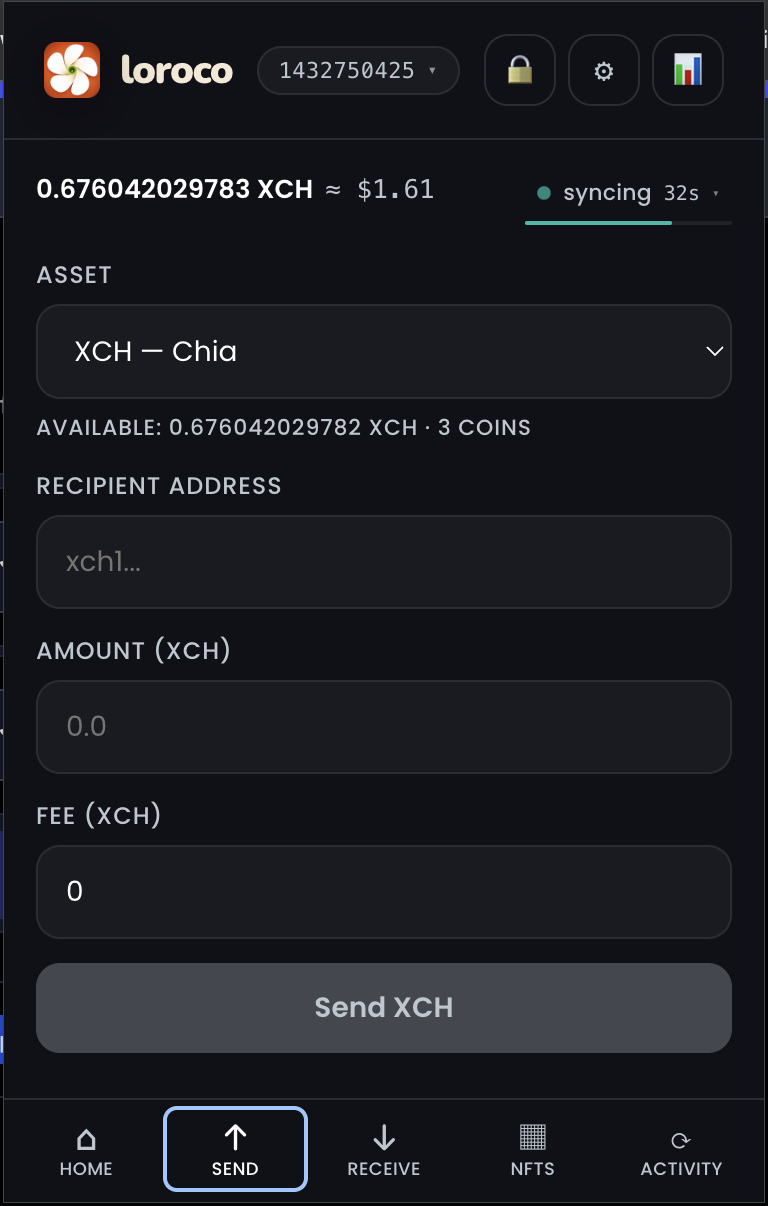
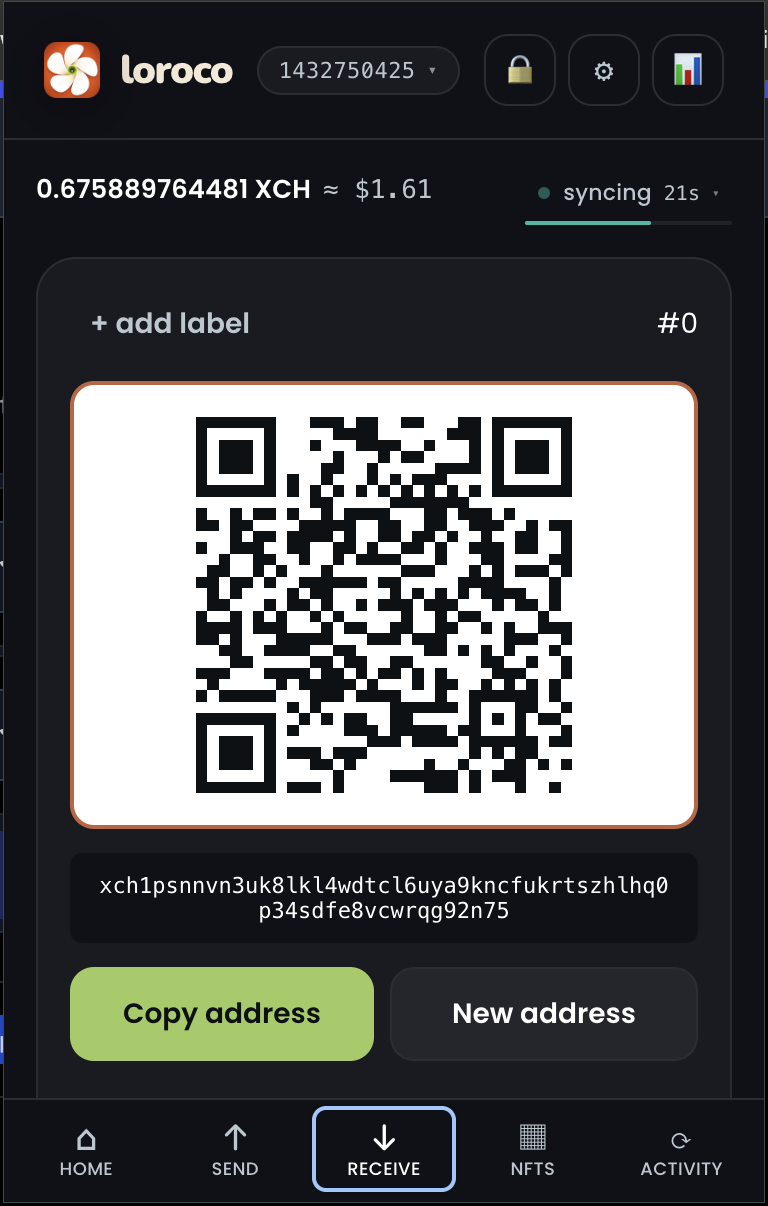
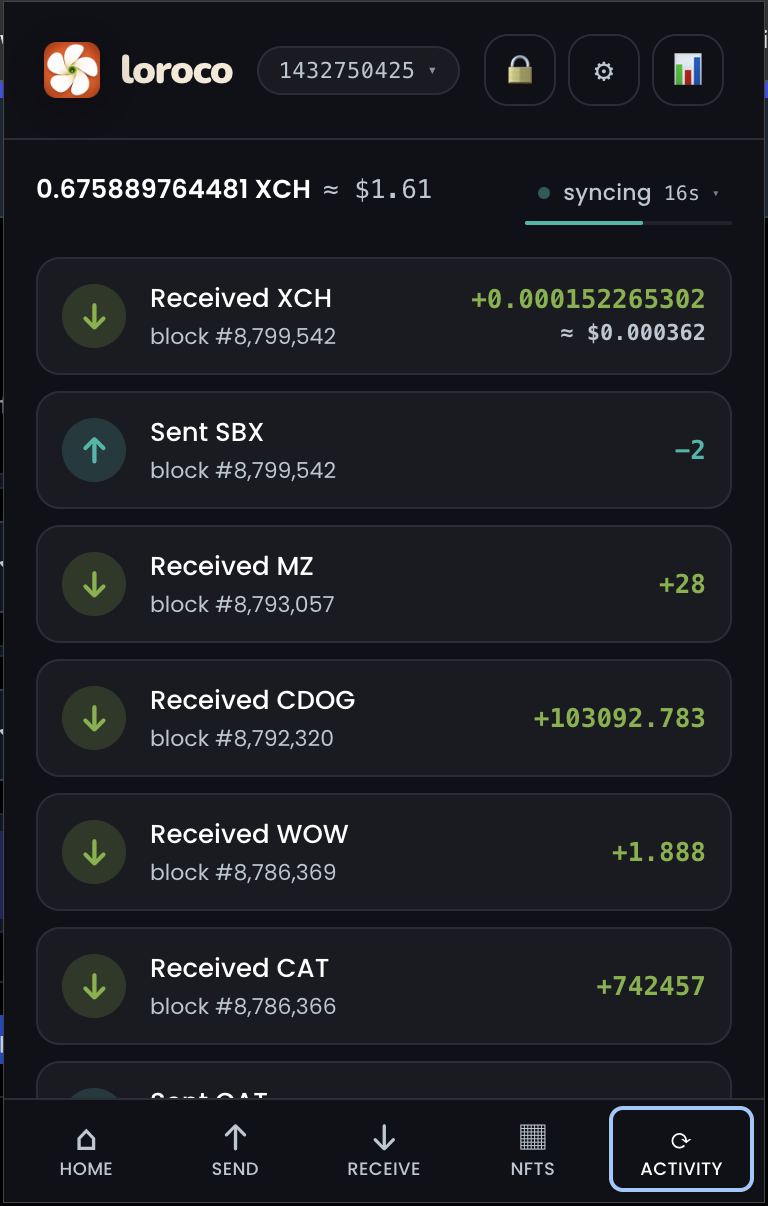
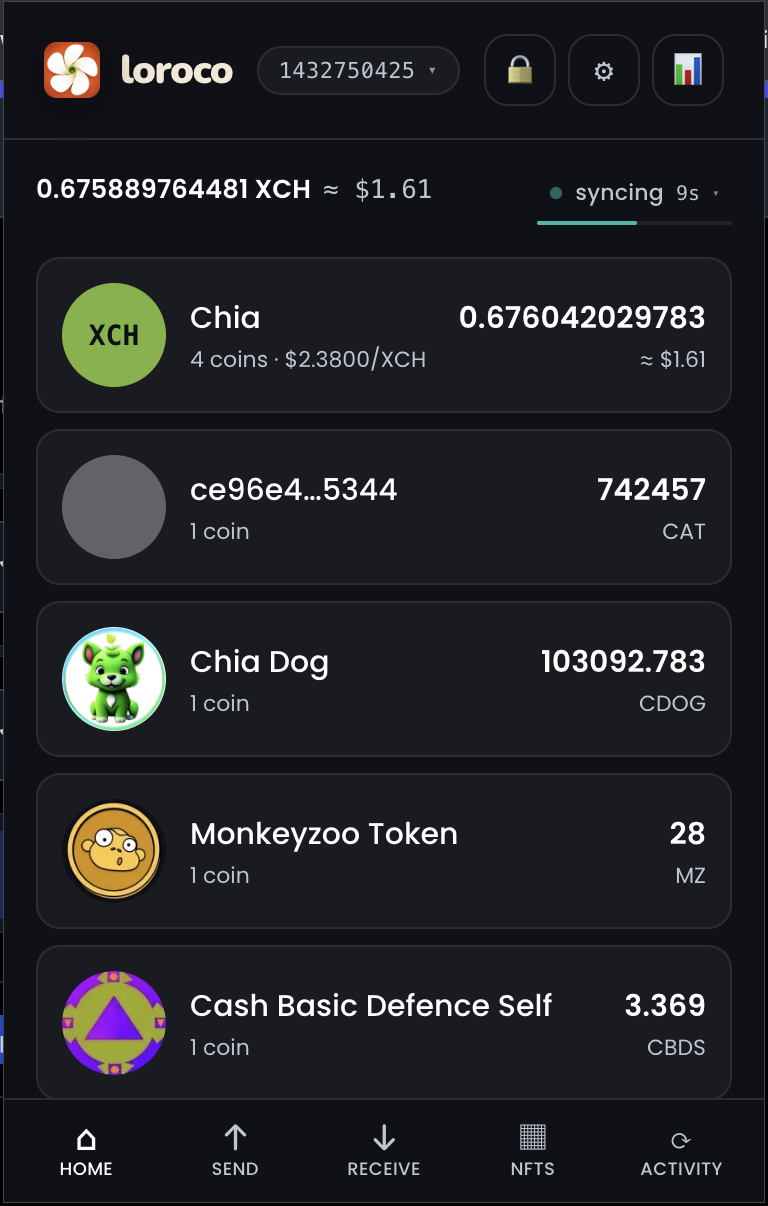
Home, Send, Receive and Activity — a per-fingerprint wallet that syncs XCH, CATs and NFTs in the background.

Home tab showing XCH, CAT and NFT token balancesHome · balances
Send tab with asset picker, recipient, amount and fee fieldsSend XCH / CAT
Receive tab with QR code and bech32m addressReceive · QR + address
Activity tab listing received and sent transactions by blockActivity · history
Per-call approval

You see it before you sign it

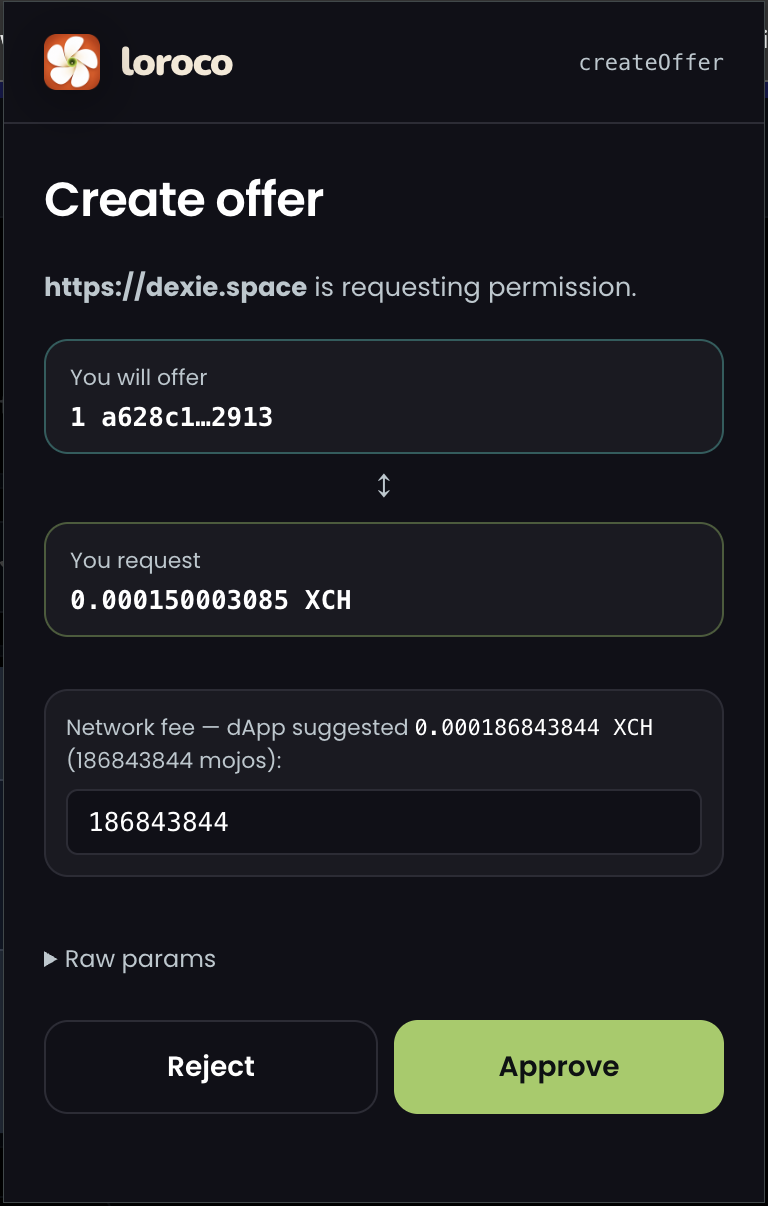
When a dApp asks Loroco to do something that moves coins, the popup decodes the request and shows you the real effect — what you offer, what you receive, the network fee — with the origin requesting it. Nothing is blind-signed; you re-consent to every transaction.

  • The requesting origin is Chrome-verified, not page-supplied.
  • Amounts, fees and asset ids are humanised, never bare counts.
  • Raw params stay one click away for the curious.
  • Approve / Reject — there is no "remember this site" for spending.
createOffer approval dialog from dexie.space showing offered coin, requested XCH and network fee createOffer · approval dialog
The docs

Everything, in four pages